Ready to visualize your ArcGIS Enterprise systems and content like never before?
Qonda Reports is an visualization, exploration and reporting application for ArcGIS Enterprise and ArcGIS Online.
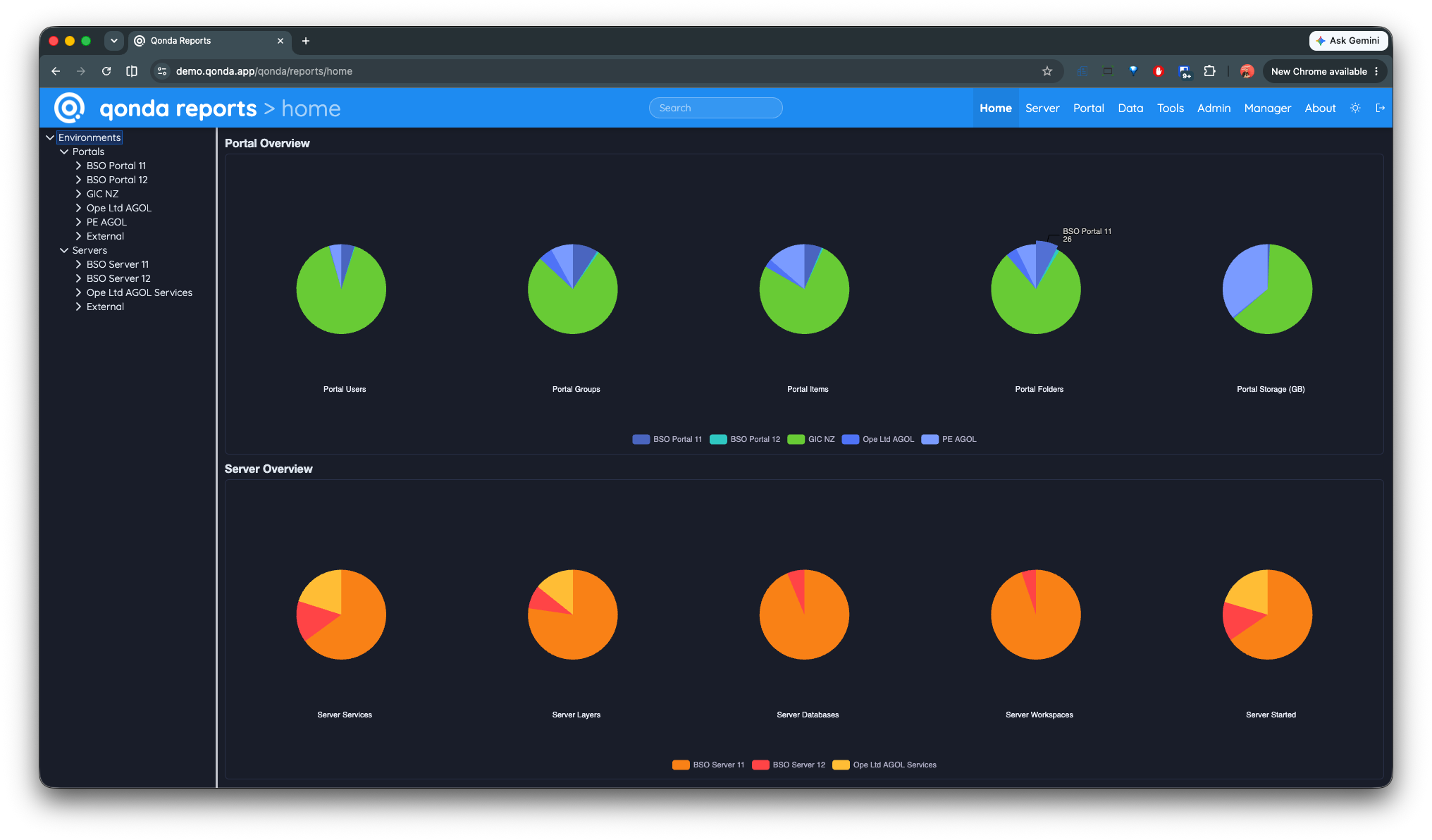
Qonda Reports Home Screen
>Qonda Reports supports ArcGIS Enterprise, ArcGIS Server, Portal for ArcGIS and ArcGIS Online!
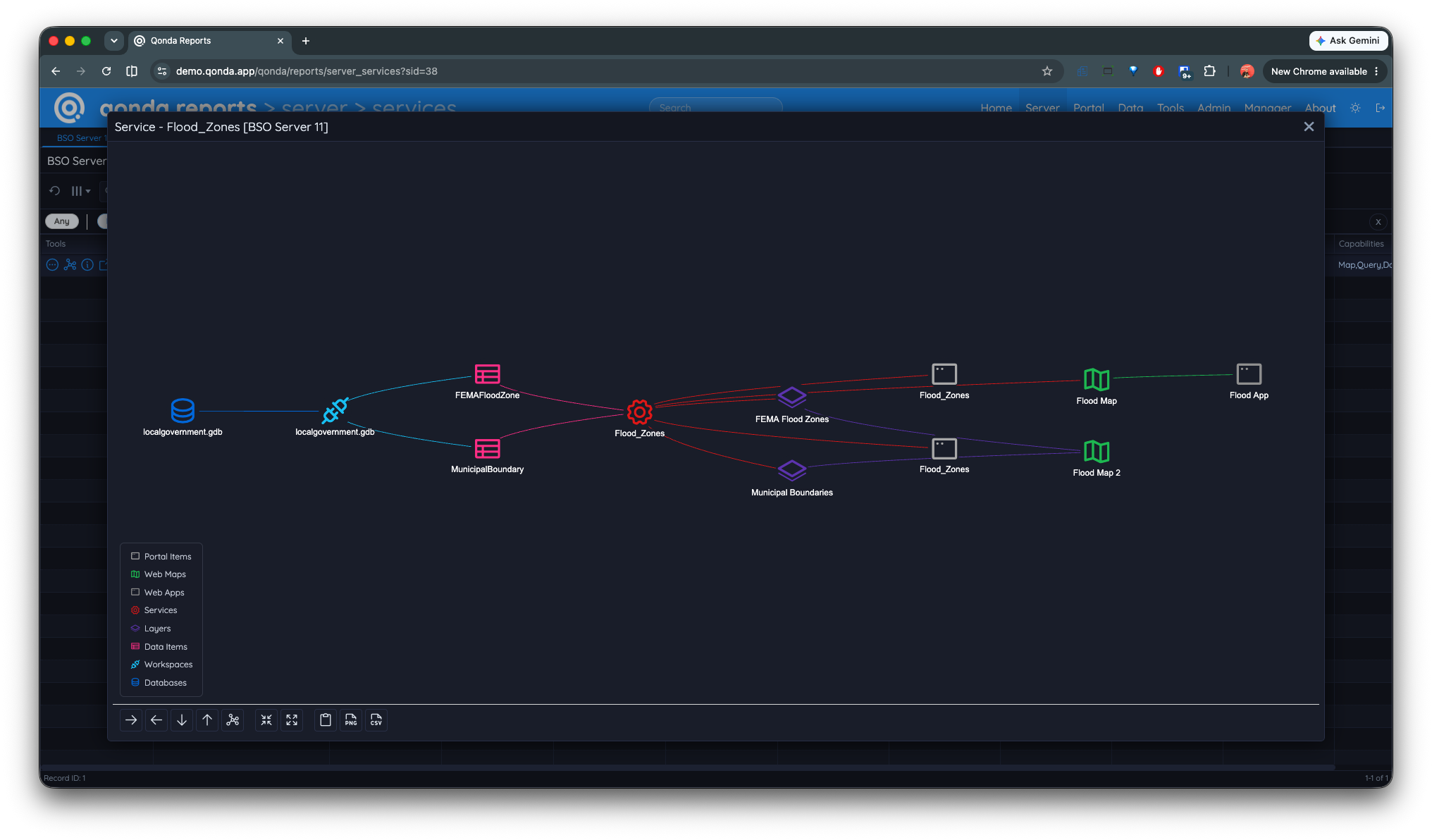
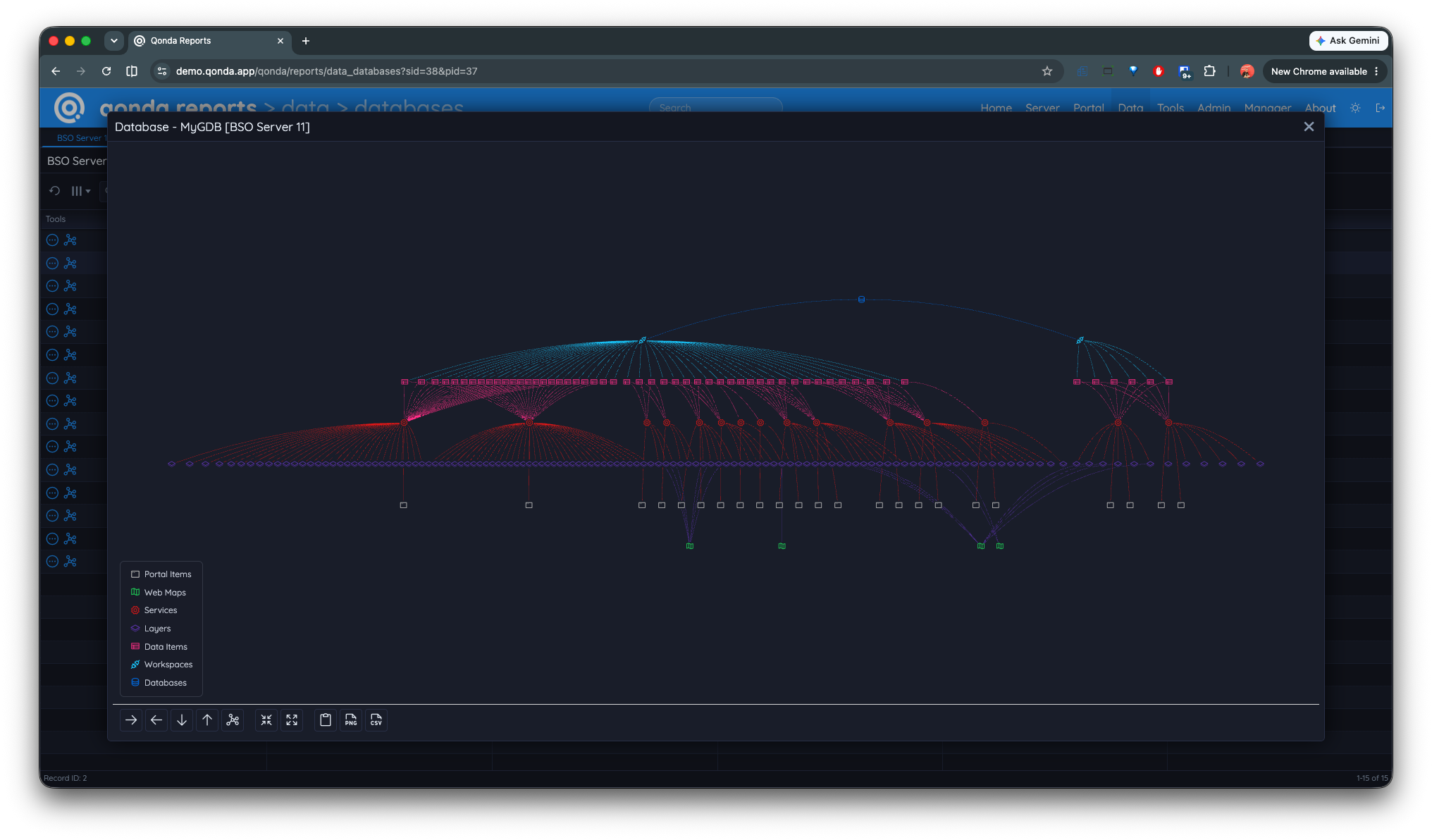
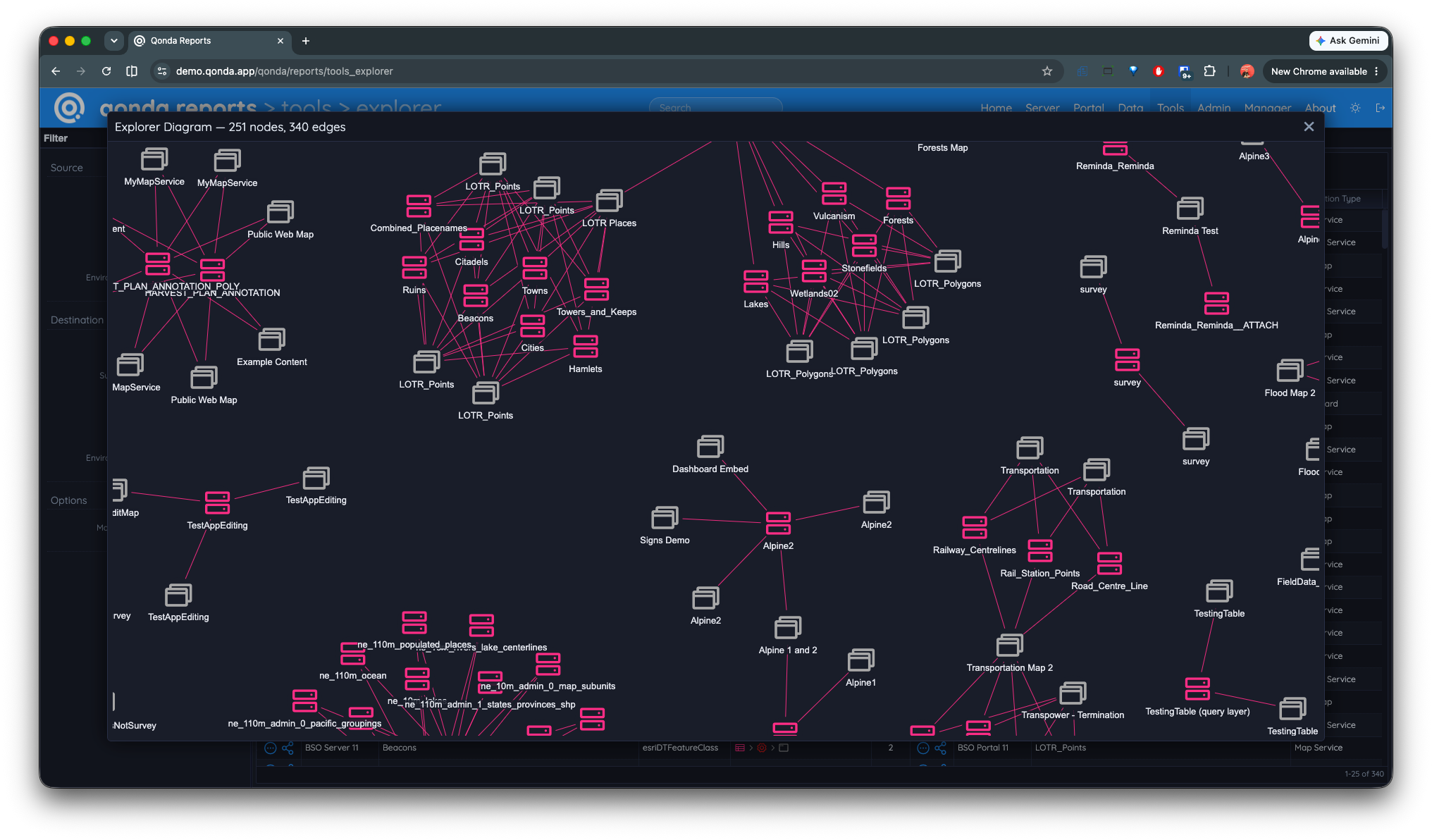
Qonda Reports Relationship Diagram
Report ArcGIS Enterprise and ArcGIS Online Item Dependencies. See how members are creating, using and sharing content. Visualize summary reports about maps, apps, layers, files, data and more.
Overview
What is Qonda Reports?
Qonda Reports is an information aggregator, exploration and reporting tool for ArcGIS Enterprise and ArcGIS Online. It's about documenting your Enterprise GIS without lifting a finger!
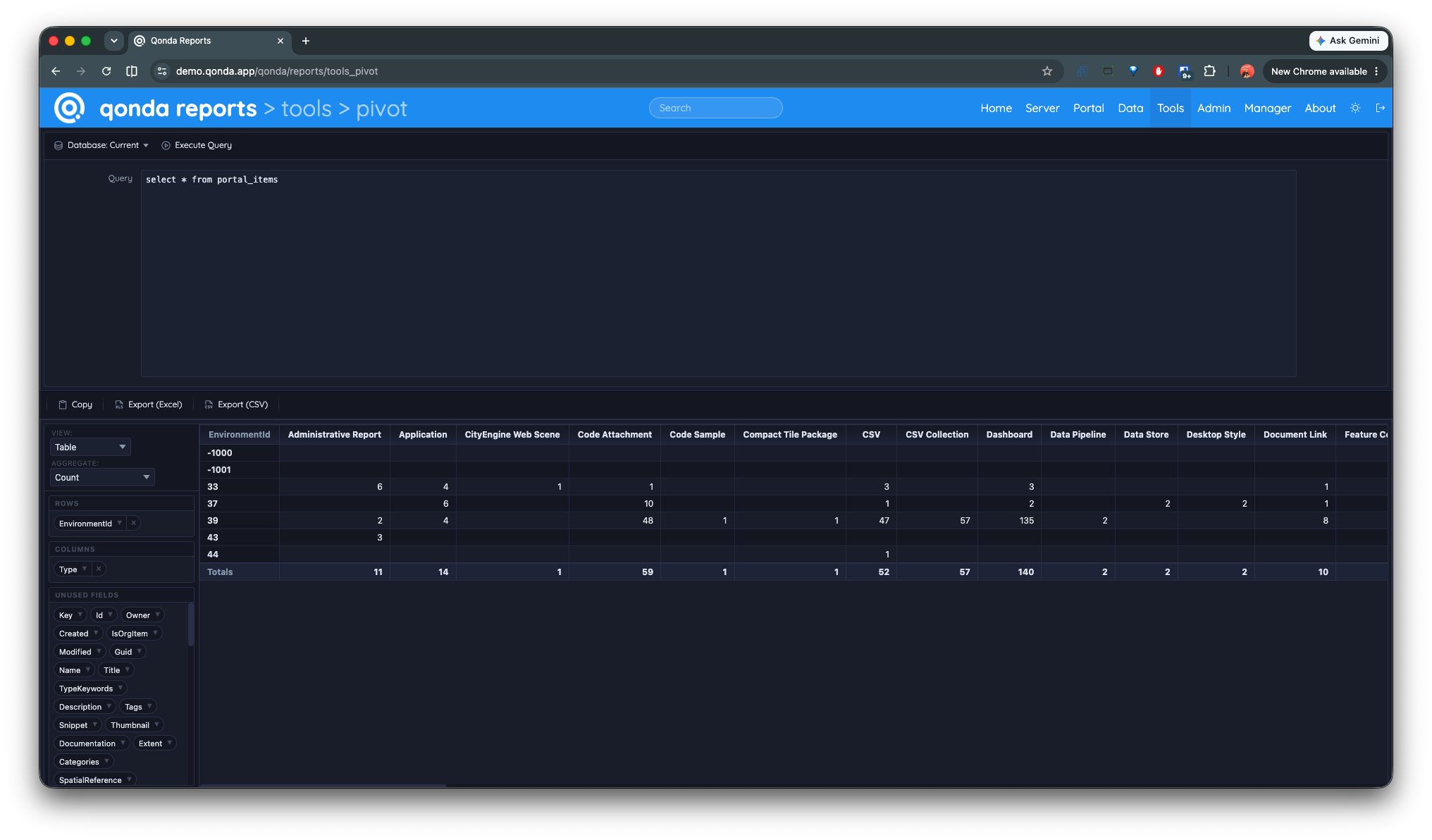
Qonda Reports Custom Report
What does that mean?
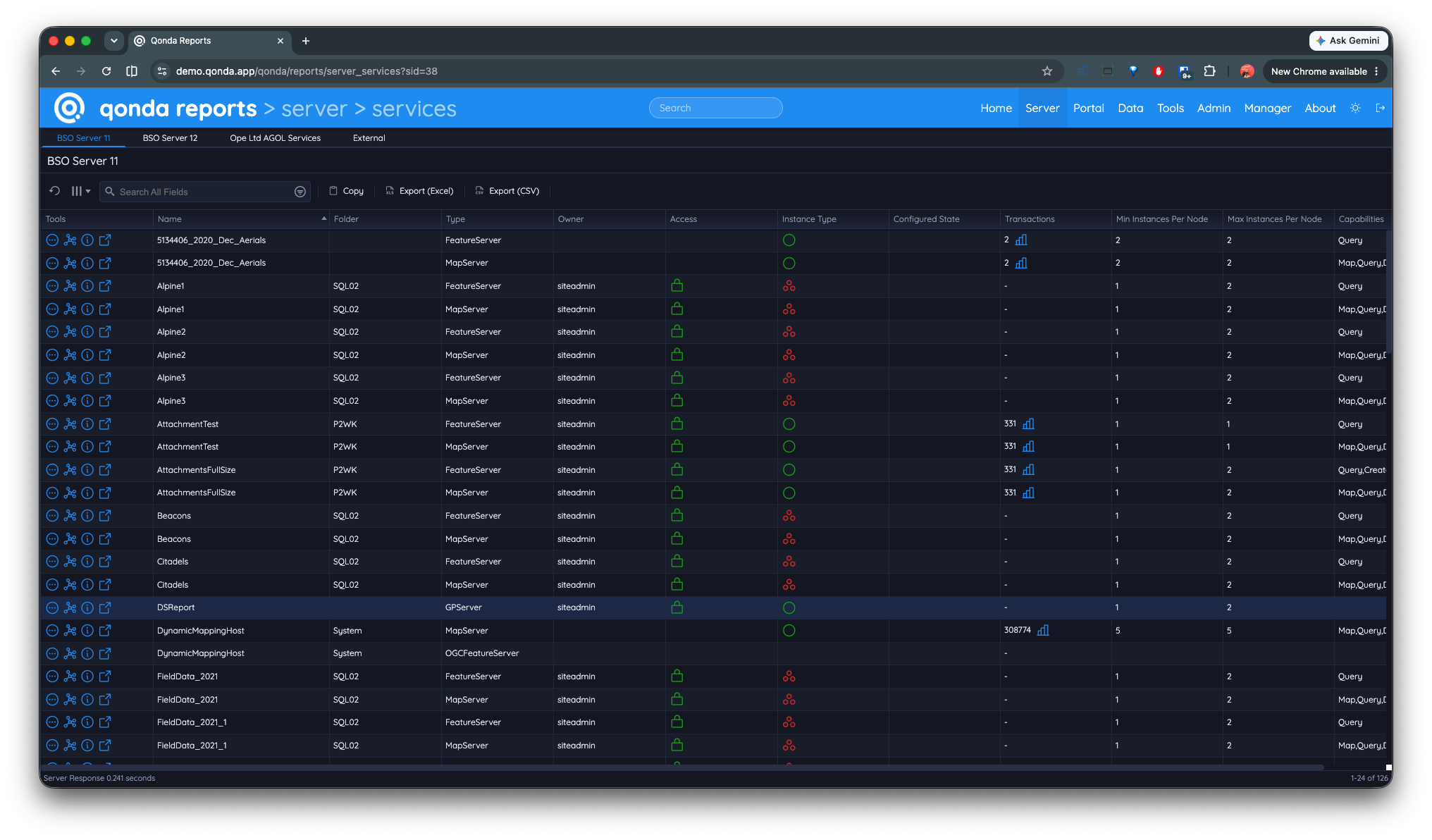
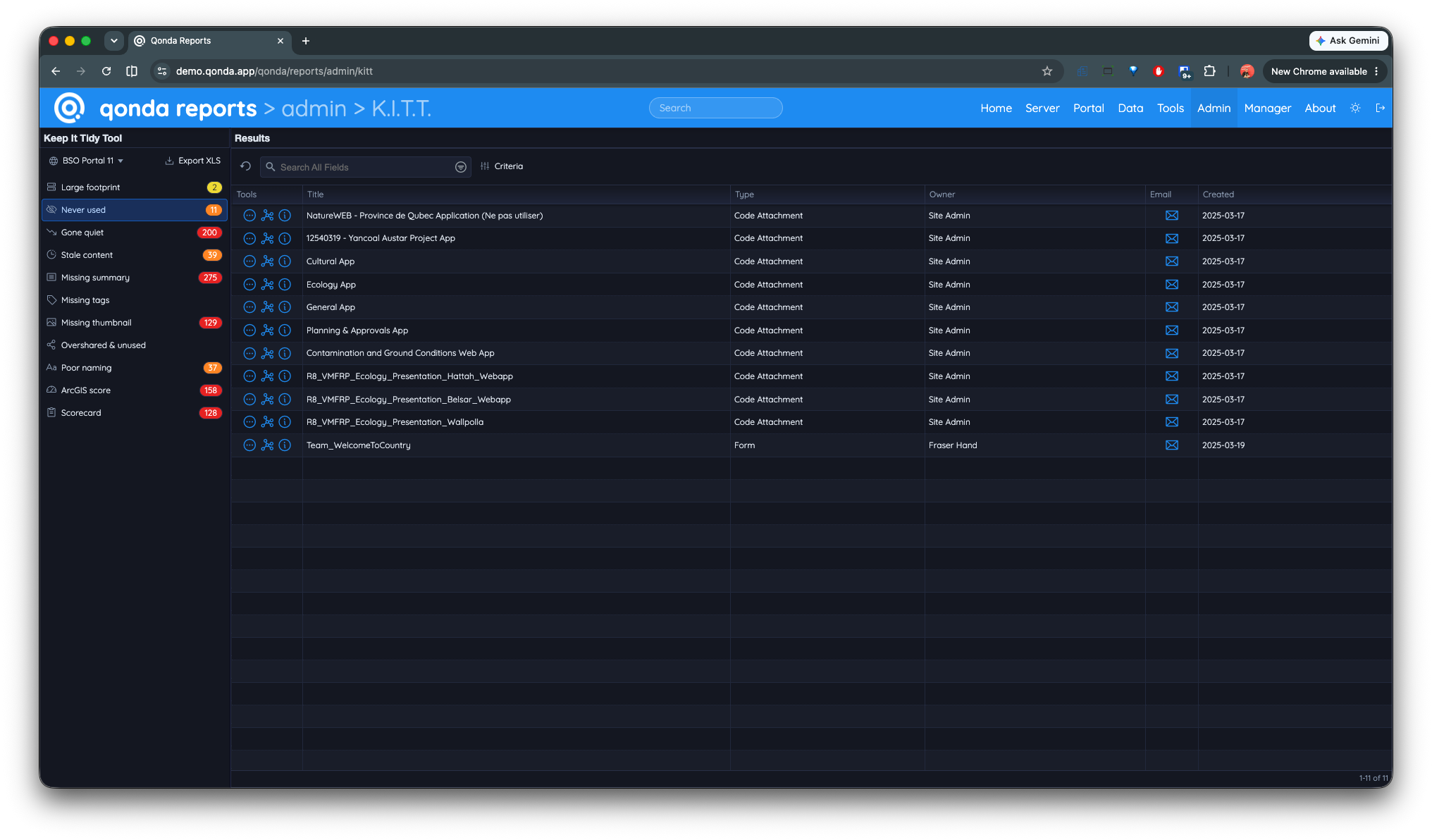
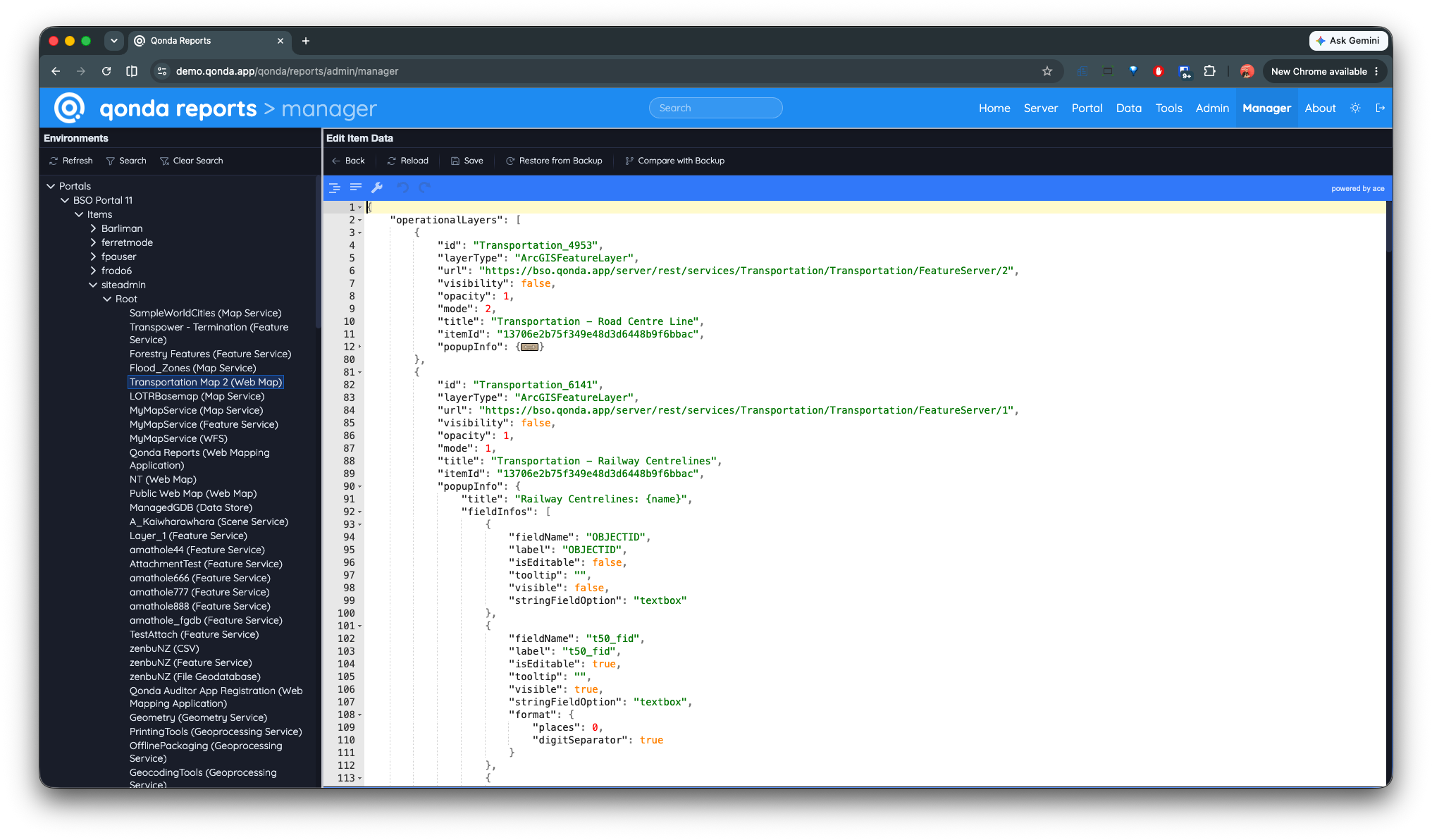
Qonda Reports scans your Esri systems (ArcGIS Server, Portal for ArcGIS & ArcGIS Online) and brings all that unrelated information together to help you understand your content and how they are related.
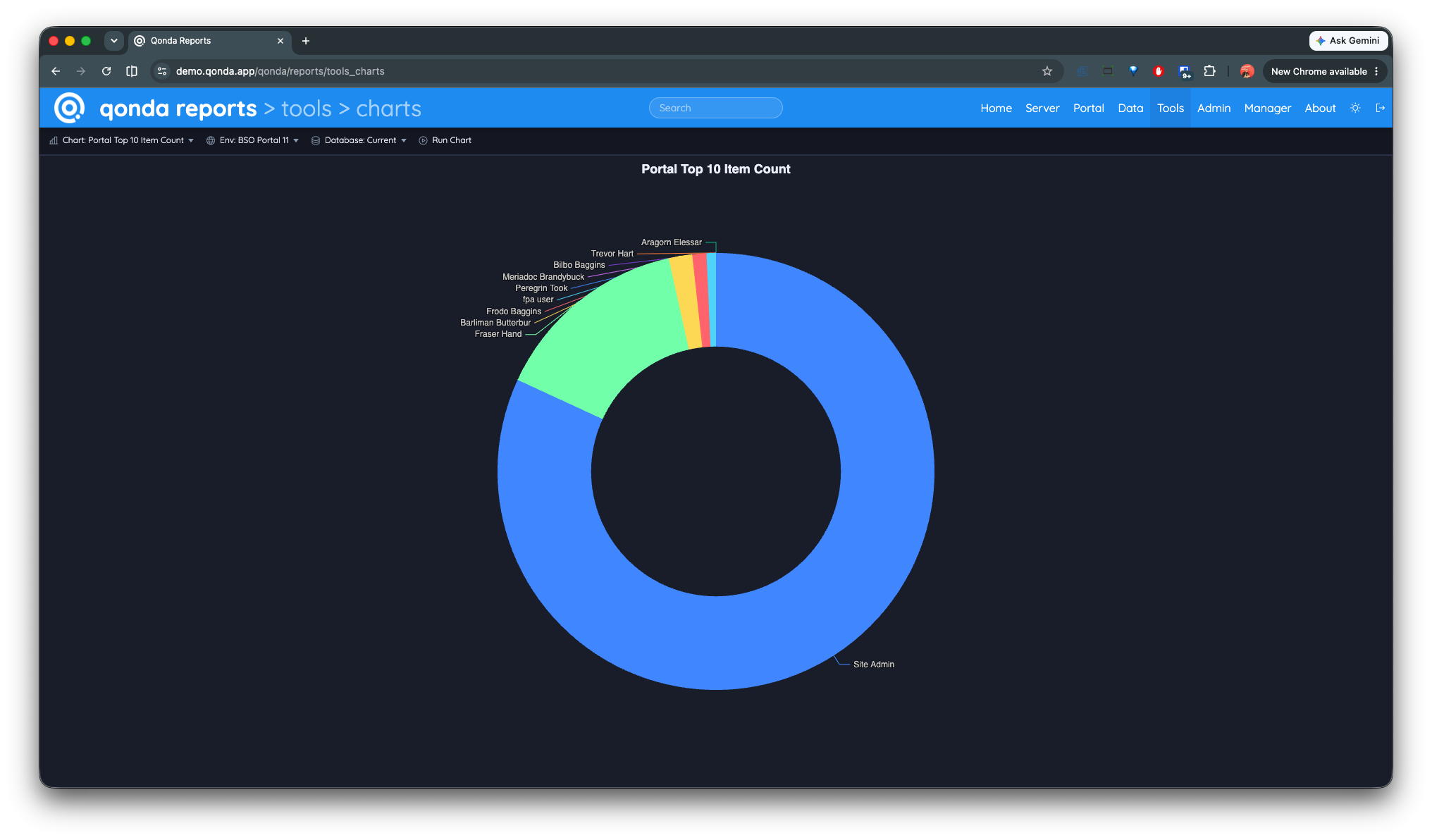
Qonda Reports Custom Chart
How is the information presented?
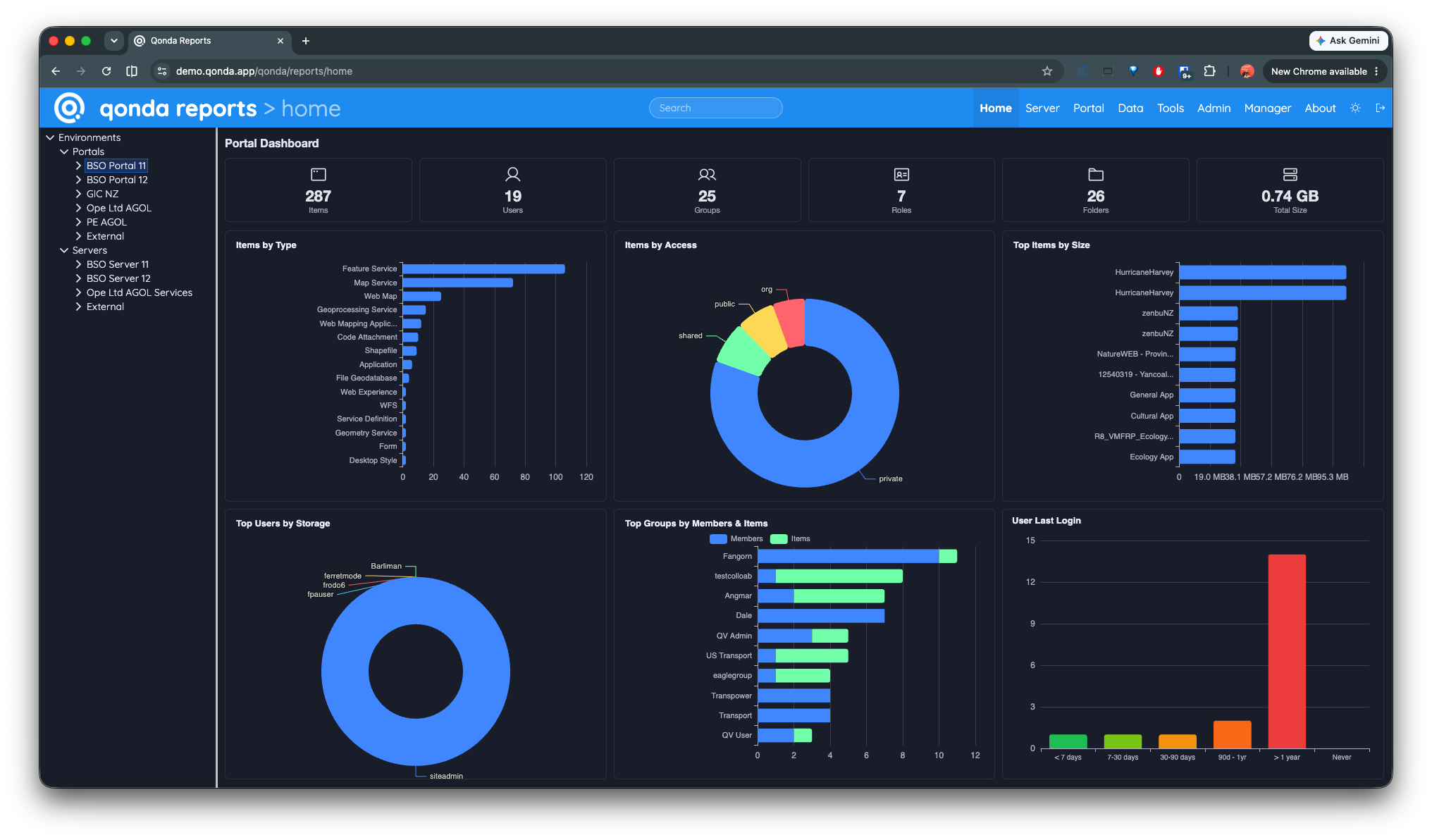
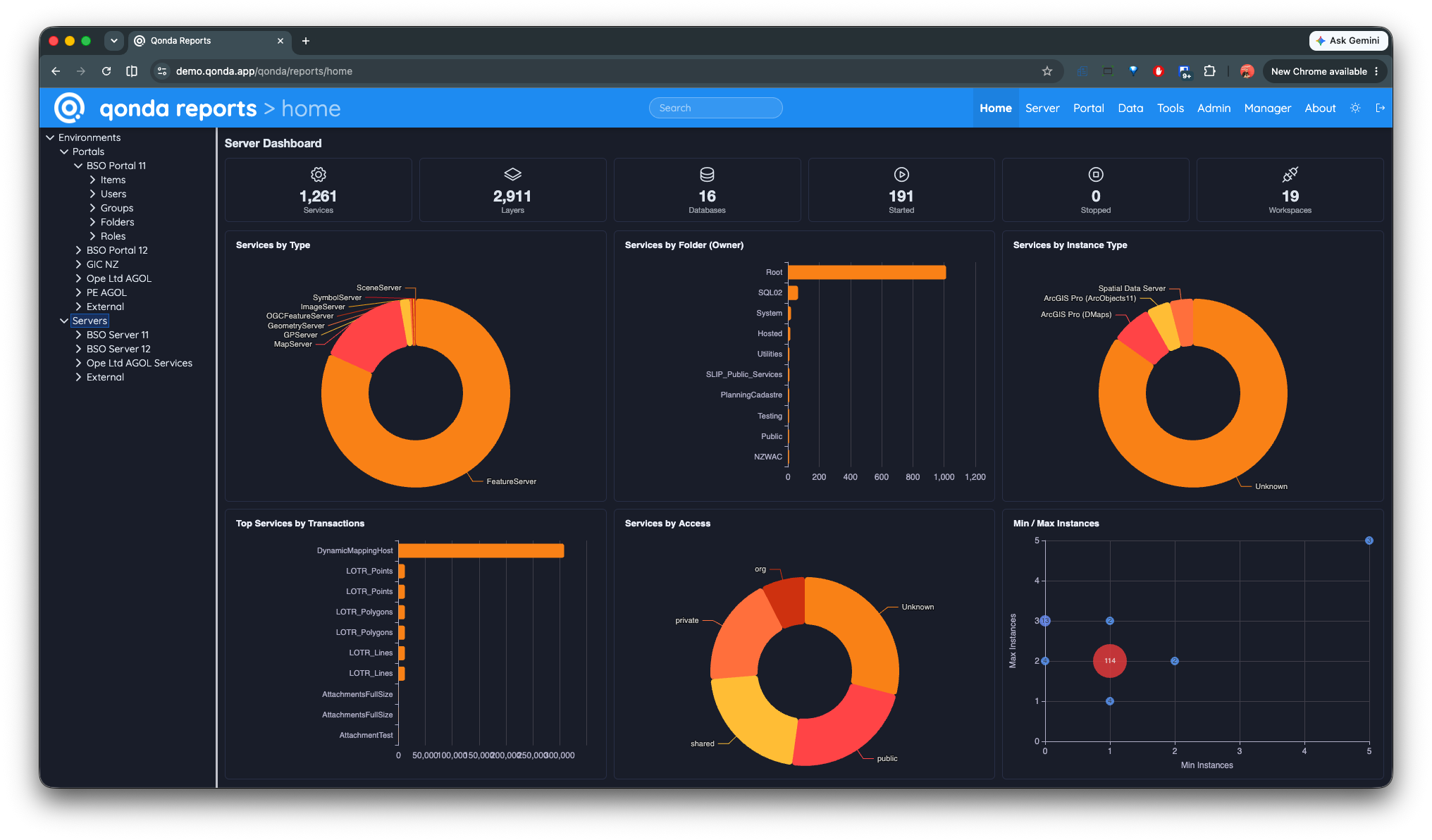
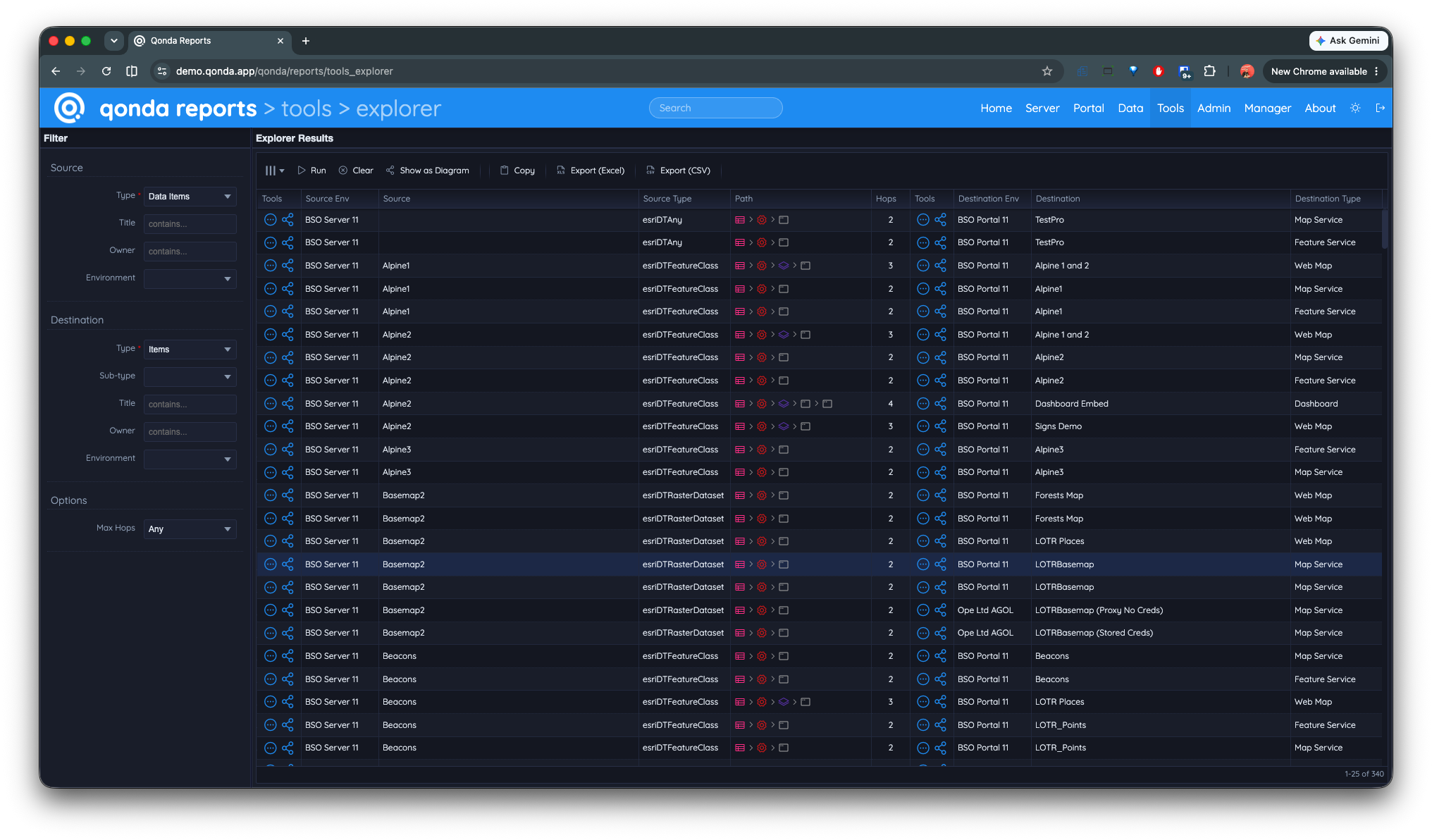
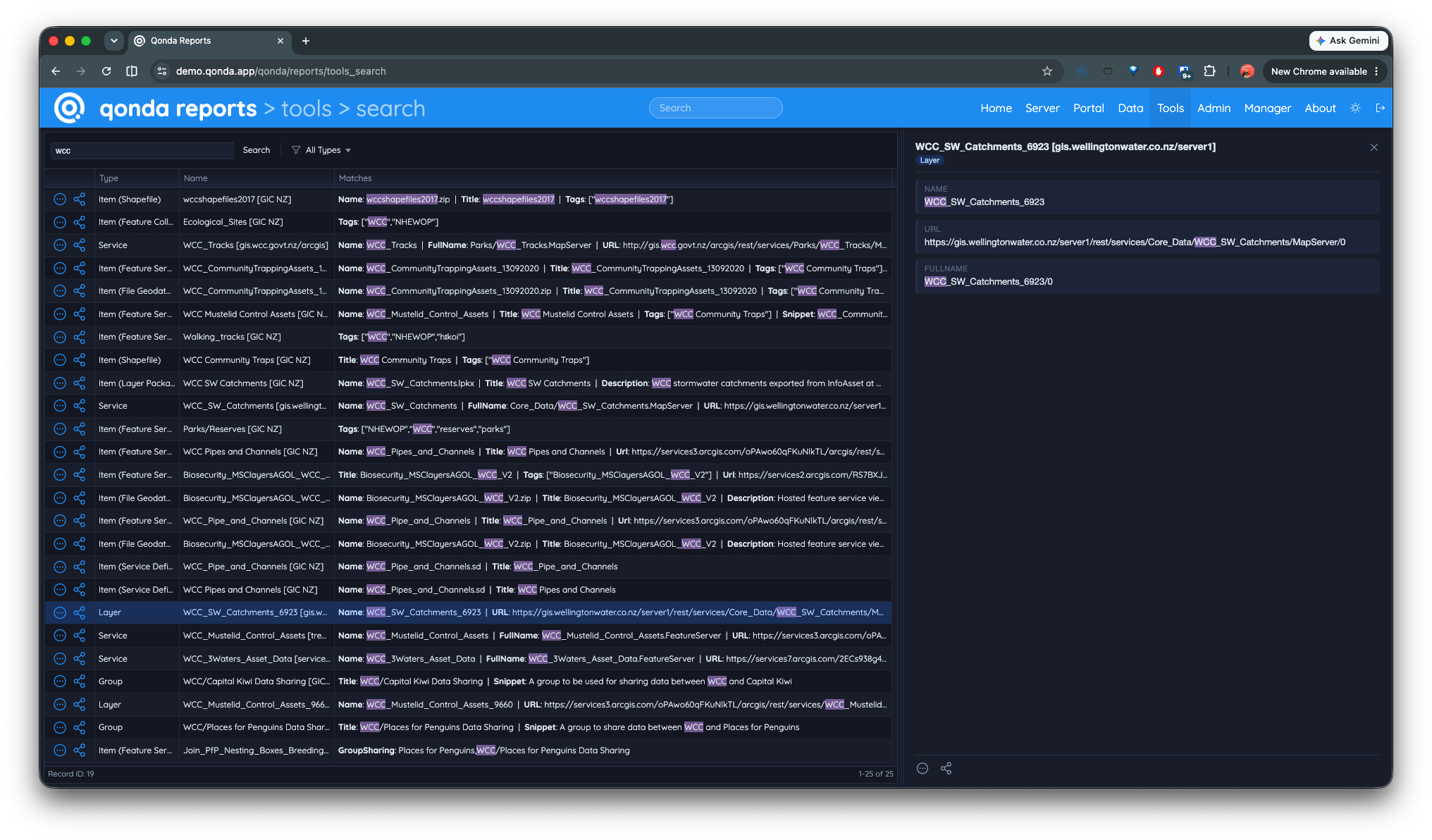
Qonda Reports allows users to views charts, tables, reports and diagrams from multiple systems in one beautifully presented interface.
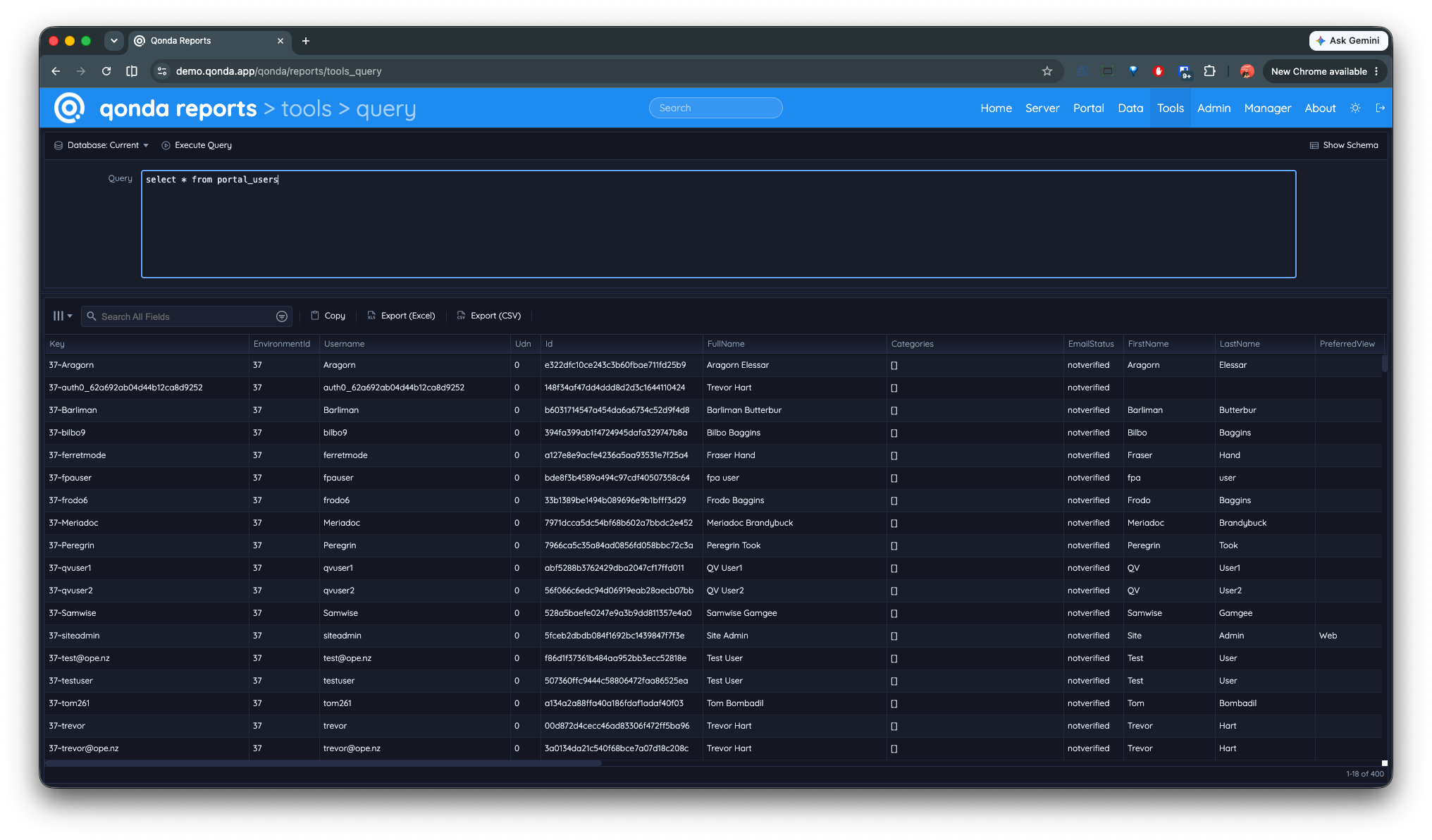
Qonda Reports SQL Query Tool
Why do I need it?
Did you spend time documenting your Enterprise ArcGIS system and they're now out of date?
After a year do you still understand how your Enterprise ArcGIS system fits together?
Are you new to your organization and need to understand the Enterprise ArcGIS system?
Can you describe the relationships between your GIS services, web maps, web apps and spatial data?
Qonda Reports brings all of that into a single user interface for exploration, reporting and analysis.
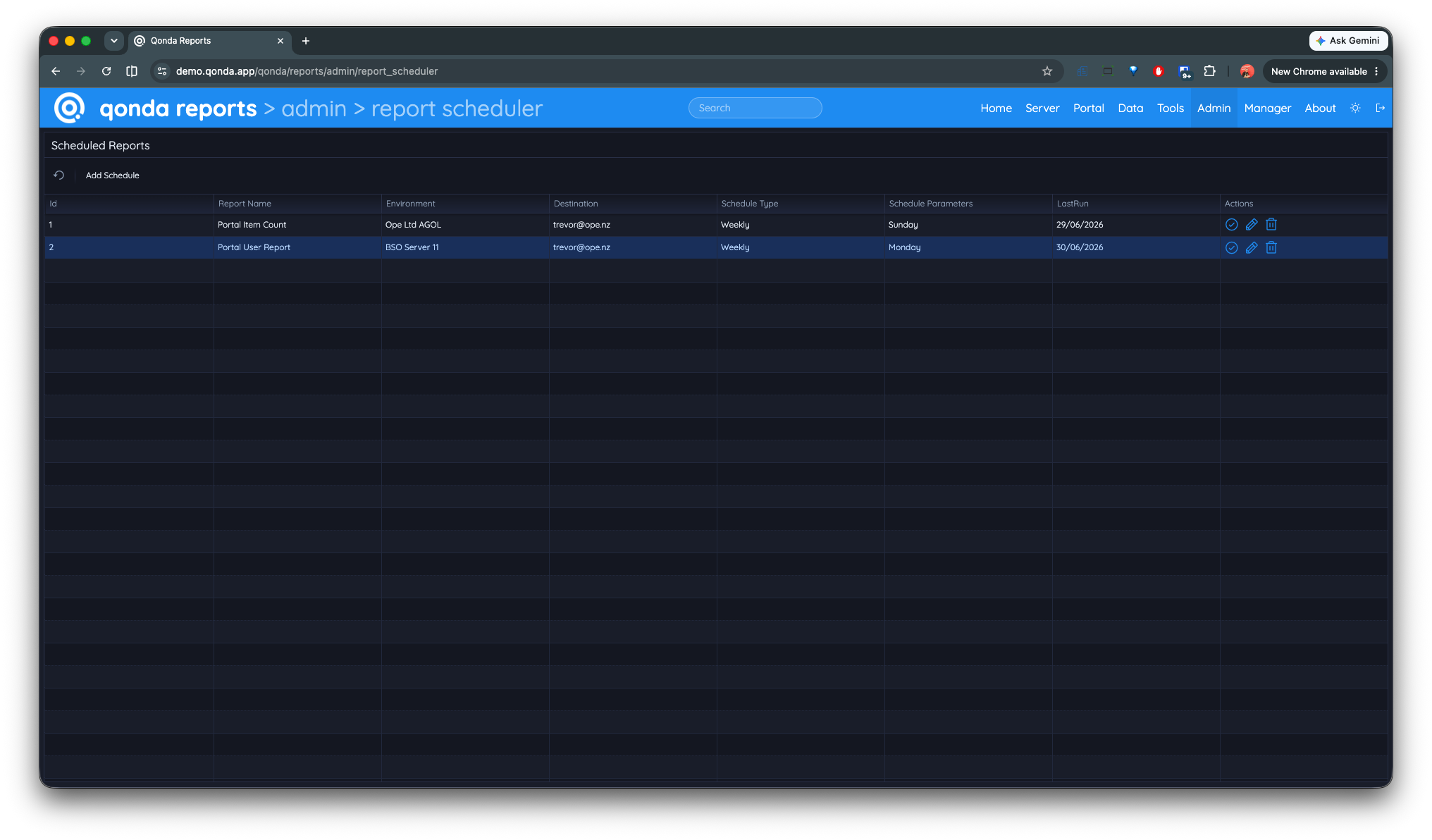
Qonda Reports Scheduled Report
How does it help me?
Has your management ever asked for or have you needed to find any of the following?
How many web maps are there in our organization?
Who is using all our credits?
Which items are owned by a specific user?
How many items aren’t shared with anyone?
Which items were created over a year ago?
Compare service configurations between environments?
The number of instances for all services?
Which web maps/apps reference a service?
Who is creating content and consuming large amounts of space?
Which users haven't logged in recently?
Where data is being sourced from (e.g. database, file system)?
Which groups a user belongs to?
Custom reports (e.g. content created in the last month)?
Features
Summary/Detailed Portal & Server Information
ArcGIS Services.
ArcGIS Service Layers.
ArcGIS Service Data Items (Feature Classes, Tables etc).
ArcGIS Service Data Sources (Enterprise Geodatabase, File base data etc).
Portal/Online Items (Web Maps, Web Apps etc).
Portal/Online Users.
Portal/Online Groups.
Portal/Online Roles.
Server/Portal Machines (Admin only).
Environments (Admin only).
Interactive Content
All tables can be filtered & sorted.
Charts can be filtered.
Interactive diagrams.
Multiple layout options.
Clustering of nodes (for busy diagrams).
Export diagrams.
Report Tool
Modify or write your own reports using SQL.
Many useful out of the box reports, e.g;
Credit spend by user.
Storage use per user.
New content created in the past week.
Item view trend.
Other Tools
List tool (a one column report), e.g;
A list of all users from a Portal.
A list of all web services.
A list of all email addresses from a Portal.
Compare tool - compare lists between two environments, e.g;
Compare users between Portals.
Compare services between Servers.
Compare layers between Servers.
Environment overview diagram.
Reviews
We would struggle without it!
"In delivering an enterprise geospatial capability to a large organisation, one of the risks to trust and confidence in that platform and the value it delivers, is not having a full understanding of it's makeup. Having the ability to view the platform from a helicopter view of the various environments down to the detailed lineages and complex relationships between data, service, webmap and app, has proven invaluable to delivering a consistent and trusted capability to a self-service enabled capability. Qonda has been fundamental in putting us on the front foot or being proactive rather than reactive in operationally supporting and delivering our geospatial capability to the organisation. We would struggle without it!"
This is an awesome product!
"This is an awesome product! I highly recommend Qonda Reports to everyone who manages an ArcGIS environment. Qonda Reports has proved indispensable in finding and visualising all connections between data, map/feature/image services, webmaps and apps, especially when migrating and updating content. The reporting tools make managing users, groups, server services, portal content, sharing & credits a breeze!"
FAQ
You've probably got some questions on how you can report on ArcGIS Enterprise, Portal for ArcGIS and ArcGIS Online content, visualize item dependencies and see what members are creating/using/sharing.
We've got some frequently asked questions below!
What does the word Qonda mean?
Qonda is an African word (Zulu & Xhosa) that means to understand, to comprehend or to grasp.
We think that's the perfect name for a solution that provides insights into your ArcGIS systems!
Who developed Qonda Reports?
Qonda was envisioned and developed by Trevor Hart, owner of Ope Ltd (an Esri business partner). Trevor is a recognised leader in enterprise ArcGIS architecture design and deployment.
Why was Qonda Reports developed?
Enterprise GIS has become more powerful and easy to use but at the same time they have become more complex. Multiple servers, service sprawl, user self-service and databases galore!
After deploying many large scale ArcGIS systems, it was apparent that understanding how these systems were interconnected is becoming harder and harder. No one can truely keep track of the connections between systems, apps, services and data.
That's where Qonda Reports comes in, it aggregates information from all of your ArcGIS Systems and joins the dots between them.
Who needs Qonda Reports?
Basically any organization that has multiple ArcGIS Enterprise, ArcGIS Server, Portal for ArcGIS and ArcGIS Online systems.
Who is the target audience?
Qonda Reports is mainly used by GIS architects, GIS administrators and GIS content creators. It is also of use for security auditors.
What Esri ArcGIS systems does Qonda Reports support?
Systems can be scanned on demand (by administrators) but are primarily updated on a daily schedule.
How many servers, portals and online systems can Qonda Reports support?
There is no technical limit per install however the number of systems influences the time taken to update the system. Larger deployments will also take longer to scan.
Does Qonda Reports require administrator access to my ArcGIS Server?
No it doesnt, however having no admin access reduces the amount of data collected.
Does Qonda Reports require admin access through my web adaptor?
No it is not mandatory but some data will not be populated during a scan. When deployed on premise, Qonda Reports can collect data directly from your ArcGIS Server (using port 6443).
Does Qonda Reports require and administrator account?
No it is not mandatory but some data will not be populated during a scan. For example ArcGIS Online does not expose the admin API for hosted services therefore some data relating to hosted services will not be able to be collected.
Is Qonda Reports secure?
Yes. Qonda Reports leverages either Portal or ArcGIS Online for authentication using OAuth.
Qonda Reports uses Portal or ArcGIS Online groups for authorization (e.g. who is an administrator).
Qonda Reports is regularly scanned for SSL weaknesses, security exploits and vulnerabilities. Qonda Reports implements TLS 1.2/1.3 only and uses strong ciphers for encryption. This results in a "A" rating using the Qualys SSL Labs scanning tool.
Qonda Reports is also scanned with Qualys Web Application Scanning for security risks, vulnerabilities and sensitive contents. While security risks and vulnerabilities are a moving target we aim to mitigate these as soon as these are flagged.
What are the system requirements?
Qonda Reports runs on Windows and mainstream LINUX operating systems. It can also be run as an app service on cloud platforms.
The software was developed to run on commodity hardware and will run well on small servers. The easiest option is to host it on an existing web server as there is minimal impact.
Pricing
Offerings
Qonda Reports is offered as an on premise install as well as software as a service.
The SaaS offering can be located in a geographic region that suits your organization.
How is the software licensed?
Qonda Reports is licensed per install (for on premise, or self hosted). The SaaS pricing includes a license, hosting, SSL certficiate etc.
How much is a license?
Qonda Reports costs US$2250 plus sales tax (where applicable) per deployment.
How much is the SaaS offering?
The cost is dependent on the scale and hosting region. Please contact us for exact pricing.
How can I purchase Qonda Reports?
We accept direct bank transfer or credit card payments via Stripe.
Other Ope Ltd Products
Qonda Monitor - Cloud based monitoring for ArcGIS and FME
We are the sole owners of the information collected on this site. We only have access to and collect
information that you voluntarily give us via email or other direct contact from you. We will not sell or
rent this information to anyone. We will only use your information to respond to you regarding the reason
you contacted us. We will not share your information with any third party.
GDPR
We are GDPR-compliant. We do NOT resell or in any other way pass on your information to anyone. You can at any time request insight into what data we keep pertaining to your identity, or request your stored data be deleted (Right to be Forgotten) by contacting us.
Trademarks
Other companies and products mentioned are trademarks or registered trademarks of their respective owners.